ReadMe
The MediManus platform is an extensive digital repository for the manuscripts containing ancient Greek medical texts that have been preserved in libraries all over the world. It lists these manuscripts, provides access to their digital version when available online, and offers detailed analytical information derived from first-hand examination.
Content of the platform
Identification of the manuscripts
Each entry is about a manuscript identified by means of the following string of elements:
- City and country
- Library
- Collection
- Shelfmark
All these identifiers are provided in English and in the original language. Names of collections reproduce the original names. Examples: Vatican City, Vatican City, graecus 284 and Città del Vaticano, Biblioteca Apostolica Vaticana, graecus 284 Paris, National Library of France, Coislinianus graecus 333 and Paris, Bibliothèque nationale de France, Coislinianus graecus 333
For the purposes of easy consultation, manuscripts are identified with a shorter ID in the search system. These short IDs have been created to be exempt from ambiguity, such as: Paris gr. 2183 referring to Paris (FR), National Library of France/ Bibliothèque nationale de France, graecus 2183 Paris BiblMazar 4461 referring to Paris (FR), Mazarine Library/ Bibliothèque Mazarine, 4461
Vienna med. gr. 28 referring to the Vienna/Wien (AU), Austrian National Library / Österreichische Nationalbibliothek, medicus graecus 28
Digital-images
The digital copies of manuscripts accessed through the MediManus platform are provided by the libraries that own the manuscripts. They reflect the different strategies chosen by the libraries to digitally reproduce their holdings. Whatever the digitization strategy, each image can reproduce the following, whether manuscripts are folioed or paginated:
- the recto or the verso of a folio or an odd-numbered or even-numbered page
- the verso of a folio and the recto of the following one or an even-numbered page and an odd-numbered one, in both cases in this sequence
Images can be of different types produced from different sources:
- color images directly made from the manuscripts
- black and white images made from microfilms of variable quality
Whatever the type, images can be in IIIF format (International Image Interoperability Framework) or not.
Numbering of the images
Whereas some libraries do not number the images and mark the images with an abbreviation as NP (meaning “No Page Number”), most do number images. The numbering is of two types:
- numbers of the images exactly reproduce the folio/page numbers as in the manuscripts with the following:
- Roman numerals for the guard leaves. In the final guard leaves, these numbers are traditionally followed by an apostrophe (e.g. III΄)
- Arabic numerals for the body of the manuscripts l
For folioed manuscripts (which is the most frequent case), numbers in both systems above are followed by the letters r or v for recto and verso, respectively
- numbers are sequential from 1 to n in a sequence that does not correspond to the numbering of the folios/pages in the manuscripts, but to the string of the digital images of each manuscript.
If some libraries consistently use the same system for the referencing of the images of all their collections, some others opt for a mixed strategy with one system for some manuscripts and another system for other manuscripts.
Works in the manuscripts
The platform MediManus focuses on the works contained in the manuscripts to make them accessible.
Works are identified with the following three elements in the sequence below:
- author’s name or “anonymous”
- title
- folios/pages where the work appears.
Author’s names and titles are in Latin according to traditional scholarly practice. Works of contested authenticity are listed under the name of the author to whom they are attributed as per the manuscript or the scholarly tradition. Both author’s names and titles have been standardized.
Examples:
- Dioscorides, De materia medica (ff. 1r-175r) as in manuscript Paris, National Library of France, graecus 2185
- Symeon Seth, De alimentorum facultatibus (ff. 1r-31v) as in manuscript Madrid, National Library of Spain, 4850
- Dioscorides, De venenis (ff. 185v-192r) as in manuscript Florence, Medicea Laurenziana Library, pluteus, 74.23. The text “De venenis” is not by Dioscorides but circulated under his name in the manuscript tradition and the scholarly literature until the 20th century.
Information about the authors and works in the manuscripts, ancient medicine, and any relevant historical topic related to ancient Greek medicine and science, the transmission of texts, and the classical tradition can be found in the useful links provided under the Resources menu.
Anonymous texts without a title in the manuscripts have been assigned a Latin title based on their content, to facilitate future use and referencing.
Examples:
- Terminologia medica arabica (f. 11r) in manuscript Milan, Ambrosian Library, Q 3 sup.
- De anni temporibus (ff. 43v-46v) in manuscript, Cambridge, University Library, Ll.4.12, ff. 39-46
When the texts in the manuscripts are not complete, but contain only parts of the work, the title is followed by the abbreviation frag. (for fragment) between parentheses.
In some cases, titles may be followed by Latin terms between parentheses, such as:
- alphabetice, referring to the alphabetic order of the entries
- graece, indicating that the text (or one or more parts of it) is in Greek in a manuscript where other languages are included (possibly Latin)
- latine, indicating that the text (or one or more parts of it) is in Latin in a manuscript where languages are included (for example, Greek)
- partim, meaning that the text is present only in part
Exact determination of the folio/page of beginning and end of the works (traditionally identified as incipit = beginning, and desinit = end in the catalogues of manuscripts) has been established by examination of digital images or through personal analysis of the manuscripts as possible. Resulting data may diverge from information in currently available catalogues and the websites of the libraries that own the manuscripts.
The illustrations and visual diagrams in several manuscripts are considered here as works in their own right. The illustrations in several manuscripts are considered here as works. Visual diagrams are regarded similarly. Both illustrations and diagrams are included in the list of the medical content of the manuscripts and are identified by Latin titles.
Examples:
- Diagrammata de animae facultatibus (f. 11v) in manuscript Milan, Ambrosian Library, Q 3 sup.
- Historia medicinae: imagines medicorum antiquorum (ff. 233, 235, 236v); Imago humani corporis (ff. 237v, 239r) in manuscript Vatican, Vatican Library, Chisianus graecus, F.VII.159
Information about the manuscripts
Each manuscript is introduced by a brief text At a glance in English that summarizes its content or stresses any special feature.
Information (metadata) includes the following:
- identification of the manuscript as above (country, city, library, collection, shelfmark)
- century
- language
- catalogue (with short and full references)
- medical content summary, with mention of the authors, works and folios as above
These data might differ from those provided by the libraries for the reasons above.
Metadata of the libraries can be accessed by clicking the box manifest under the identification of the manuscripts in the list resulting from a search or by visualizing the images of the manuscripts and clicking on the appropriate tab provided by the library that owns the manuscript.
The Resources menu in the MediManus Header provides links to Websites and works on medical terminology, manuscripts study, ancient history, and the history of ancient medicine and science.
Searching the platform
Manuscripts in the MediManus platform can be searched in three different ways: Quick Search, Advanced Search or free text search.
Quick Search.
Manuscripts can be located by Subject, Author, City and Titles. Each of these options can be clicked on in the box next to the button
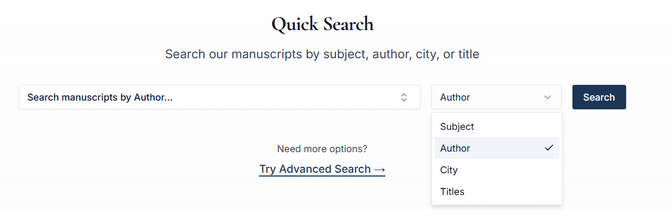
Once a selection has been made, two options are available when clicking on the box on the left:
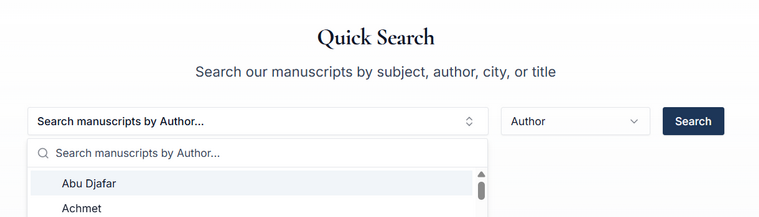
- typing the first letters of a term, name or title in the box below Search manuscripts by .... If one or more items with these letters are present in the MediManus platform, they will appear in full in the box below. For example, typing “dios” results in “Dioscorides” and “Dioscorides vel Stephanus”
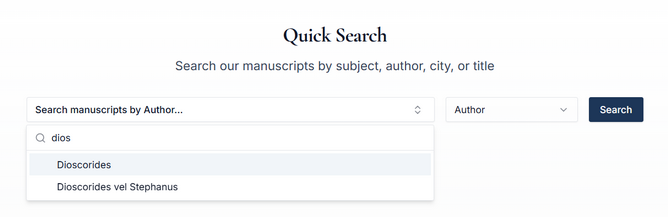
By selecting “Dioscorides”, the name appears in the box.
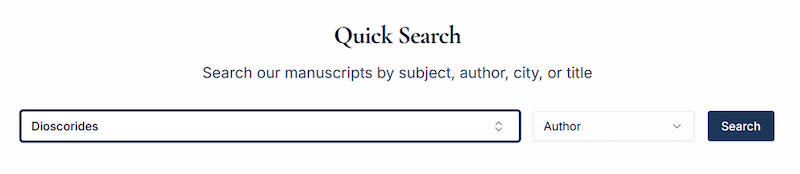
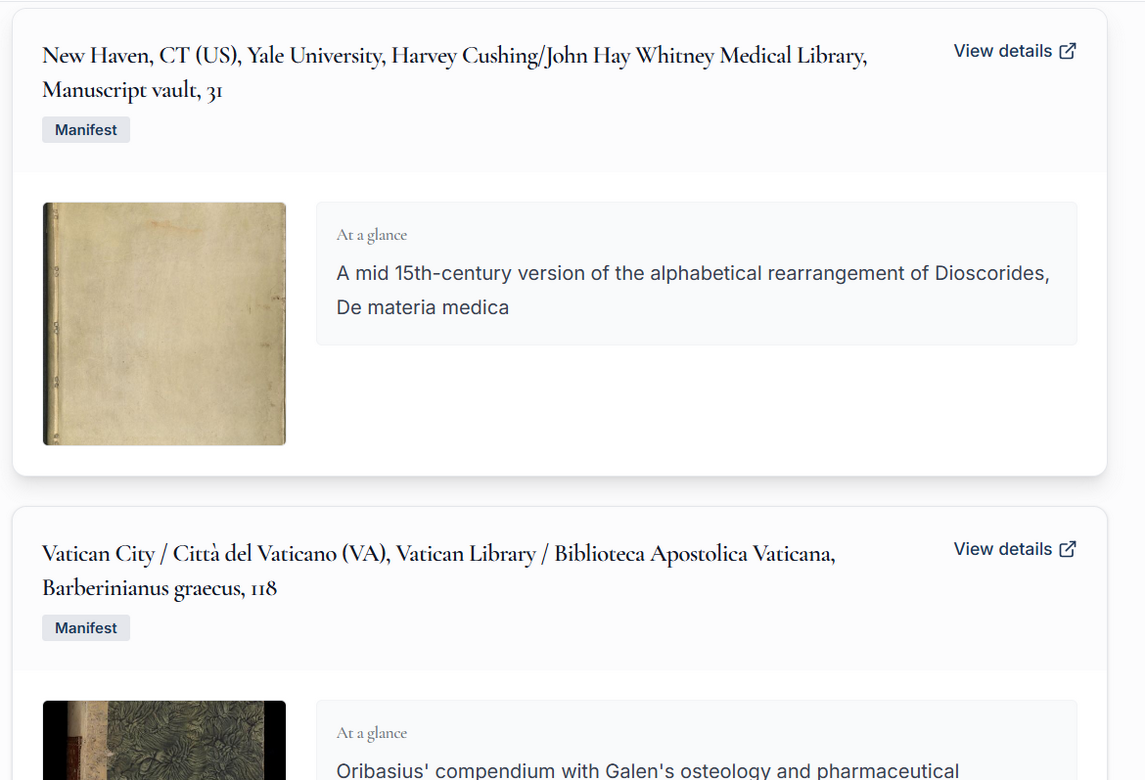
By clicking Search, a list of manuscripts appears with exact identification and, below it, a link Manifest to access the manifest provided by the library that owns the manuscript, the first image of the digital reproduction of the manuscript, a short description of the manuscript in the box At a glance, the first image of the digital reproduction of the manuscript, and a link View details as in the example below.
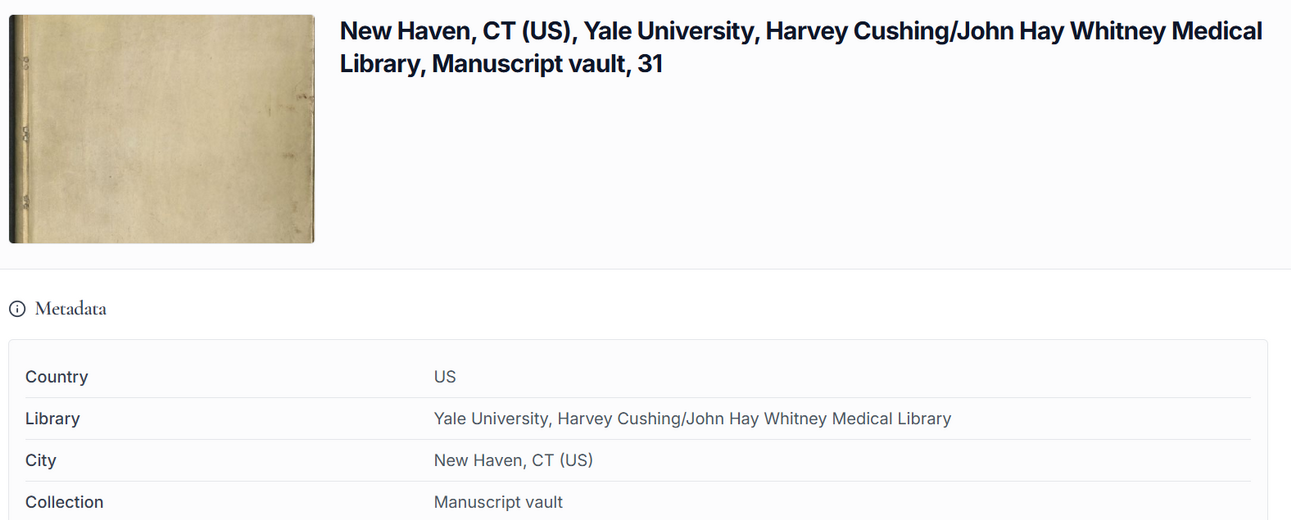
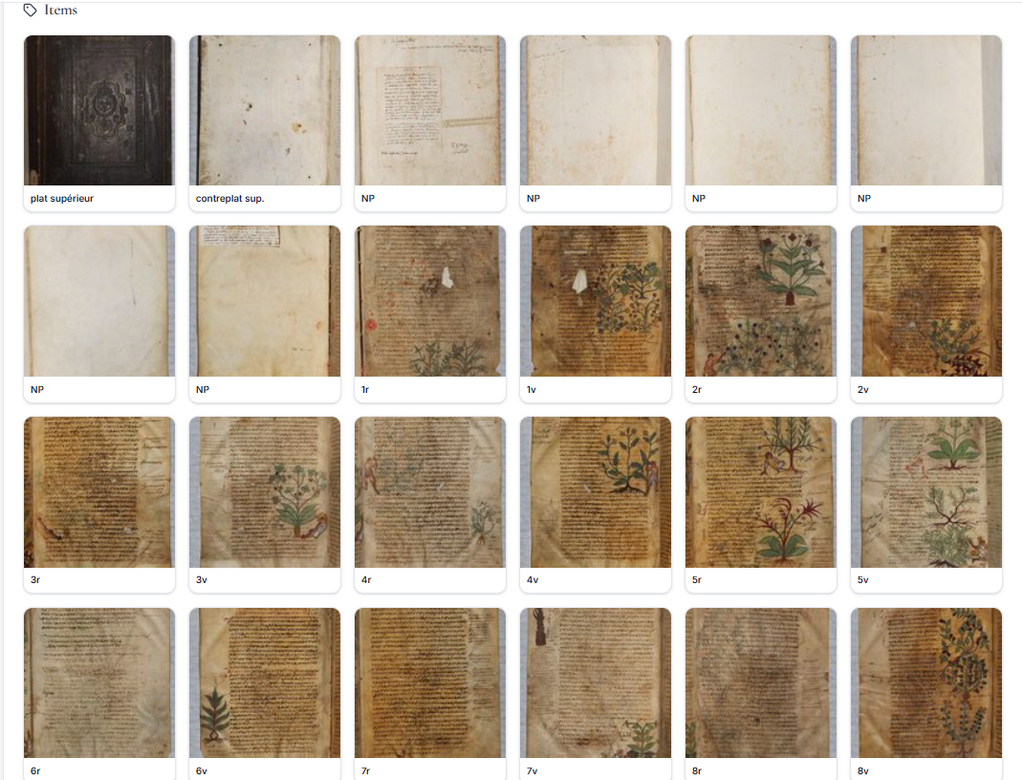
Clicking on View details brings users to a screen with the Metadata related to the manuscript as explained above. Below the Metadata, users will find the digital images of the manuscript.
- in the second option of the Quick search, users have the possibility to scroll down a list and click on any item.

Once they click on the item of their choice, the search should proceed as above.
Advanced Search.
Here users can combine several parameters.
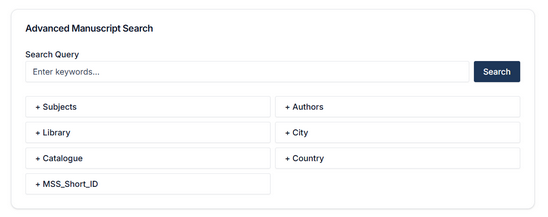
In addition, users can search for a specific manuscript by clicking the box MSS_Short_ID, with the same two options as above:
- typing the first letters of an item; if there is an item starting with these letters, this item will appear;
- scrolling the list and clicking on an item.

From there on, the procedure is the same as above.
In all forms of Search, users will access the digital reproduction of the manuscripts by clicking View details. There, they will be able to leaf through and enjoy the selected manuscript.
Any search offers the possibility to apply filters to a list of manuscripts.
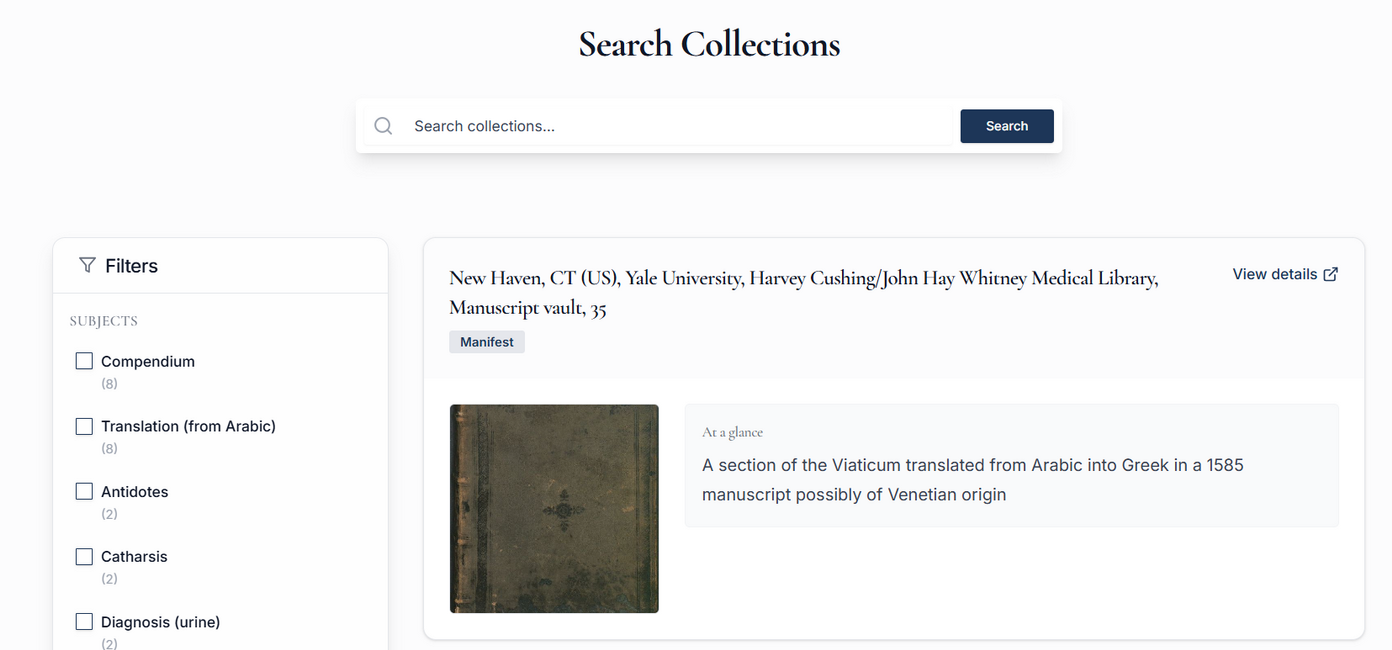
Filters appear on the left of the list of manuscripts resulting from a search. Filters are the following (in this sequence):
- Subjects,
- Authors,
- City,
- Country,
- Library,
- MSS Short ID
Under each filter, a list will appear. Each item in the lists is followed by a number between parentheses which indicates the number of manuscripts in the MediManus platform that present this item.
Free text search.
It can be accessed from the box “Search manuscripts” in the header.

Free text search is also possible from the box “Search Collection” on top of the results of a previous search made through Quick Search or Advanced Search.
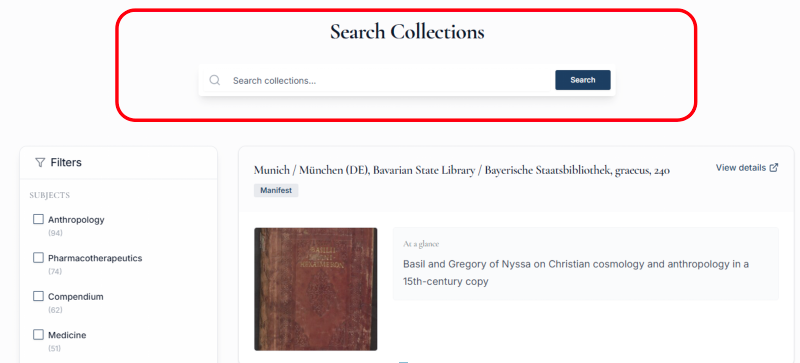
Whereas both the Quick and the Advanced Search are based on either exact spelling or clicking on an item in a list, this free text search option allows for entering terms that are not necessarily present in the lists of the platform MediManus but are used in any part of the platform (including the short descriptive texts under At a glance). For example, typing “Firenze”, brings up all the manuscripts at Florence, Medicea Laurenziana Library/Biblioteca Medicea Laurenziana. Or typing “Oath” allows to retrieve the manuscripts of the Hippocratic Oath identified in the platform by its Latin title “Iusiurandum”. Likewise, typing any part of a title will retrieve all manuscripts that include such word in their title. For example, “medendi” will retrieve the following four works, which allows for a study of the tradition of the topic of method of medicine:
- Galenus, De methodo medendi (10 items)
- Galenus, Ad Glauconem de medendi methodo (7 items)
- Iohannes Zacharias, De methodo medendi (7 items)
- Stephanus, In Galeni De methodo medendi (1 item)
Manuscripts apparently not directly connected to the search may be included in the results of a search. This happens because the results of the search are thorough enough to include any information related to the manuscripts, be it from the MediManus platform or the Website of the library that owns the manuscript. This expands the range of information provided by MediManus. As an example, the city name “Florence” yields the list of the manuscripts preserved at the Bibliotheca Laurenziana in Florence, as well as manuscripts not currently preserved in Florence, but copied in Florence, by Florentine scribes, or related in any other way to the city as per the metadata provided by the libraries.
Annotating manuscripts
Medimanus offers mirador4 viewer/annotation editor to create local annotations either on Medimanus collection works or other public IIIF manifests. You can learn more on how to access and use the feature reading the user guide .
Complementary information
Users of MediManus will find complementary information under:
The menu Overview:
- Ancient Greek Medicine Today: an original scientific essay which offers a broad introduction to the field.
- Fundamentals in manuscript studies for the correct understanding of the world of manuscripts.
The menu Resources:
- Links to dictionaries of medical terms, manuals and glossaries for manuscript studies, an encyclopedia of ancient history, and also a comprehensive dictionary of ancient scientists.
The menu Frequently Asked Questions (FAQs)
The Digital Assistant